The problem: a 3x speed gap nobody talks about
The average knowledge worker types around 40 words per minute. The average person speaks at 120 to 150 words per minute. That's a 3x gap. It sits between your best thought and the moment it actually exists on screen — and it costs you, every single day.
You've felt it. You're mid-flow on a chat reply, a long email, a Notion doc, an AI prompt — and somewhere between word 30 and word 60 the original idea gets shorter, blander, and safer. You don't dumb it down on purpose. You dumb it down because typing it in full would take another 90 seconds, and your brain has already moved on.
The cost shows up in three quiet ways:
- Compressed prompts. The 8-line context you would have spoken to ChatGPT becomes a 2-line shrug. The answer matches.
- Email triage debt. Long replies pile up because writing them feels expensive. Short ones get fired off — and create three more replies tomorrow.
- Lost ideas. The slack message, voice-note-to-self, or doc you almost wrote evaporates because the friction was 20 seconds too high.
This isn't a discipline problem. It's a bandwidth problem. And in 2026 there are finally good tools to fix it.
The fix: 7 tools that close the brain-to-keyboard gap
Below is the stack that actually moves the needle, ranked by how directly each one shrinks the gap between thinking and shipping. Most are free; the paid ones earn it.
VoiceMyThoughts — speak directly into any text field, on any website
The most direct fix for the brain-to-keyboard gap is to stop using the keyboard for the first draft. VoiceMyThoughts is a free Chrome extension that drops a microphone icon next to every text field on every website — your email composer, your AI chat boxes, Notion, Slack, LinkedIn, X, Google Docs. Click the mic, speak naturally, and your words appear in real time with automatic capitalization and punctuation.
Because audio is processed on-device using Chrome's native Web Speech API, nothing is uploaded, recorded, or stored. It's faster than dictation apps that copy-paste, and there's nothing to log into.
Best for: long ChatGPT/Claude prompts, full-length email replies, social posts that don't get truncated, and anyone whose ideas die in the typing. Free; Premium ($5.95/mo) removes the 10-second per-session limit.
ChatGPT — the universal first draft
Once your input is unlocked, ChatGPT is still the default model for turning rough thinking into structured output: outlines, summaries, code, replies. The catch — and it's the one this whole article is about — is that the quality of the answer depends almost entirely on the length and specificity of your prompt. A 2-line prompt produces a 2-line idea. A 200-word spoken prompt produces something genuinely useful.
Best for: general-purpose drafting, code, transformations. Pair it with a fast voice input layer (see #1) and the gap collapses.
Claude — the long-form thinking partner
Where ChatGPT is the universal Swiss army knife, Claude (especially Sonnet and Opus) is the one to reach for when you actually need the model to think: long documents, careful reasoning, strategic edits to your own writing. Its longer context window and calmer prose style make it the better partner for anything over a page.
Best for: writing, editing, document analysis, reasoning-heavy tasks. Same prompting rule applies — speak it, don't peck it.
Notion AI — capture-to-structured in one surface
The biggest reason ideas die isn't typing — it's switching apps to capture them. Notion AI sits inside the doc you're already in: highlight a messy paragraph, hit "Improve writing" or "Summarize," and your half-formed thinking becomes a usable artifact without leaving the page.
Best for: turning rough notes into shareable docs, meeting notes, knowledge bases. Goes from 10x to 30x better when you dictate the rough draft instead of typing it.
Otter.ai — meetings, captured
Half the ideas you lose aren't in text fields — they're in meetings. Otter sits in the call (Zoom, Meet, Teams), transcribes everyone in real time, and produces searchable notes plus a summary. It's the only realistic way to keep up when three people are talking and the next agenda item is in two minutes.
Best for: remote-first teams, founder calls, sales conversations, async-friendly cultures.
Perplexity — answers with sources, in seconds
Half of "I'll look into it later" is a research question that takes 4 minutes and never gets done. Perplexity is the best answer engine for those — it gives you a cited, paragraph-length answer to a real question instead of 10 blue links. Combine with voice input (see #1) and "research a topic" turns into a 30-second loop instead of a 30-minute project.
Best for: quick research, fact-checks, citation-grade answers. Replaces "I'll Google it later" with "I just answered it."
Grammarly — the silent editor
Once you remove the typing bottleneck, the new bottleneck becomes editing. Grammarly's tone, clarity, and conciseness suggestions live inside the same browser fields you're already speaking into — so the loop becomes think → speak → polish, with no app-switching.
Best for: client email, sales outreach, anyone whose first draft is faster than their final draft.
What the stack looks like in practice
Here's what changes once you wire this together. Below is the VoiceMyThoughts mic icon appearing next to a text field on a regular website — the moment the gap closes:
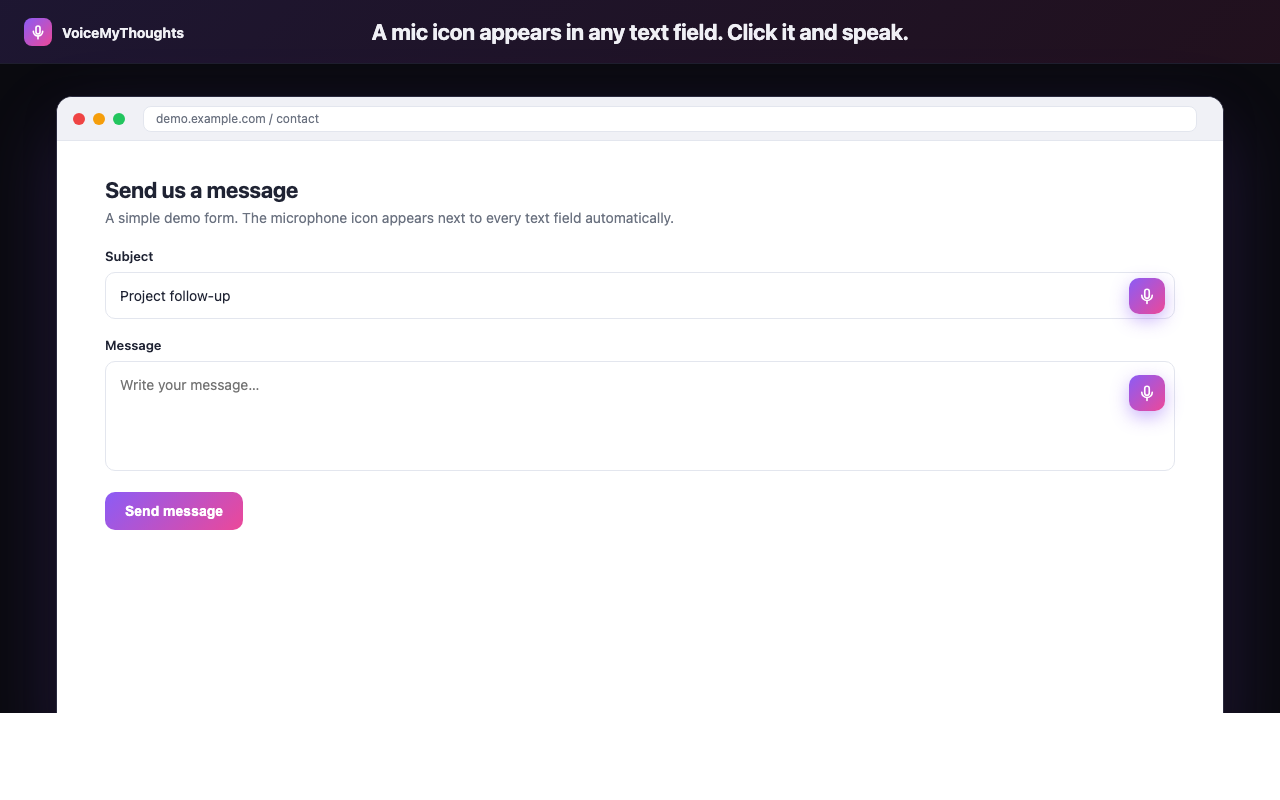
The mic icon appears wherever you can type. Click, speak, done — no copy-paste from another app.
And here are the three core capabilities working together — the universal mic, real-time transcription, and auto-formatted output that arrives clean enough to send:
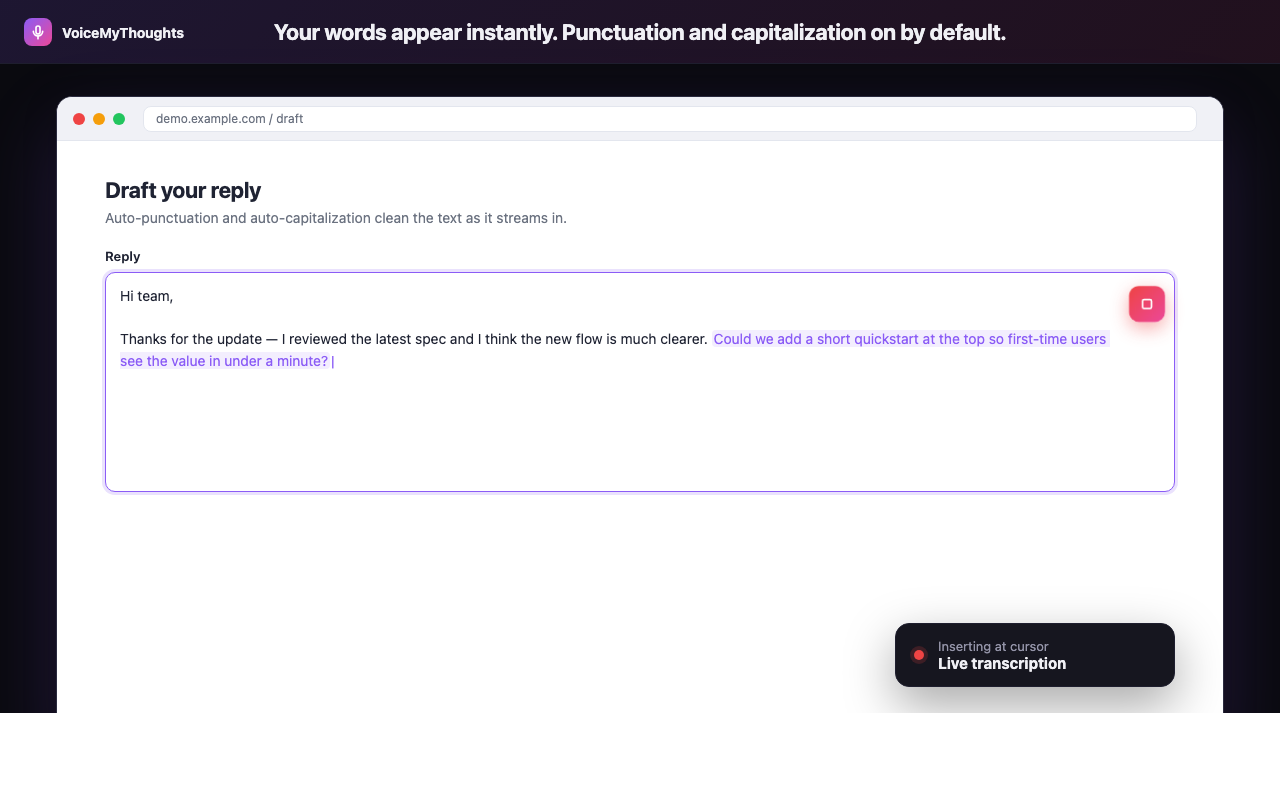
Three steps from install to hands-free typing. No accounts to wire, no audio uploaded.
The combined workflow becomes:
- Capture — speak the first draft of any prompt, email, doc, or post directly into the field. (VoiceMyThoughts)
- Transform — let ChatGPT, Claude, or Notion AI restructure it into the shape you actually need.
- Polish — Grammarly cleans the final pass without you ever switching tabs.
Three tools, one tab. The 3x speed gap doesn't survive that.
Summary: stop typing your first draft
The reason your best ideas don't make it to the screen has nothing to do with how smart you are. It's the simple fact that your fingers are 3x slower than your mouth, and after about 30 seconds of typing your brain quietly downgrades the idea to fit the channel.
The fix is simple, free, and takes less than a minute to install:
- Stop typing first drafts. Use VoiceMyThoughts for any text field on any site.
- Feed the AIs longer prompts. ChatGPT, Claude, Perplexity all get dramatically better the longer your input is.
- Capture meetings, not action items. Otter.ai removes the "wait, what did they say?" tax.
- Polish, don't perfect. Grammarly + Notion AI handle the cleanup so you can ship the rough thought.
Try it for one week. Speak instead of type, even just inside ChatGPT and your inbox. You'll notice the same thing every user notices: your prompts get longer, your replies get warmer, and ideas you used to abandon at word 30 actually make it out of your head.
Close the gap in under a minute
Add VoiceMyThoughts to Chrome and start dictating into any text field on any website. Free, private, on-device.
Add to Chrome — It's Free