The problem: 23 minutes per interruption, and you get 50+ a day
Gloria Mark's classic UC Irvine study put a number on what every knowledge worker already feels: after a single interruption, it takes an average of 23 minutes and 15 seconds to fully return to your original task. The latest follow-up work suggests the modern average is even worse — closer to 25 minutes — because you don't just resume the task, you also resume the context around it.
Now stack that against the average day: most knowledge workers field 50+ Slack/Teams messages, 30+ emails, and a meeting every two hours. Even if half of those are zero-cost glances, the math still wipes out every uninterrupted block longer than 20 minutes.
The result is the most under-diagnosed productivity disease of the decade: you feel busy all day and ship nothing meaningful. Not because you're lazy. Because there is literally no contiguous block of attention left for the work that requires it.
The fix: 7 AI tools that protect — and rebuild — your attention
Below are the tools that actually create deep-work runway, ranked by how directly each one removes interruptions or compresses the work that causes them.
VoiceMyThoughts — finish the thought before the next interruption arrives
Most deep work isn't lost to the interruption itself — it's lost to not finishing the thought you were having when the interruption hit. The speed of capture matters as much as the silence. VoiceMyThoughts drops a microphone icon next to every text field on every website (Notion, Linear, Slack, Google Docs, your AI chat boxes), so you can dump a 200-word paragraph of in-flight thinking in 90 seconds instead of five typing minutes. By the time the Slack ping arrives, the idea is on the page. Audio is processed on-device — nothing uploaded.
Best for: capturing in-flight thinking before it evaporates. Free; Premium ($5.95/mo) removes the per-session limit. The single highest-leverage focus tool on this list.
Cal.com / Reclaim — auto-defends deep-work blocks on your calendar
Reclaim (or Cal.com Routing) reads your priorities and automatically blocks deep-work time on your calendar — and rearranges it when meetings move. Your morning stops being a default-open kitchen.
Best for: anyone whose calendar fills itself. Free tier is enough for most.
Notion AI — instant context-restore when you come back to a doc
When you return to a document after a 4-hour gap, Notion AI's "summarize this page" gives you the 3-line restore prompt your brain needs to re-enter the task. The 23-minute return cost shrinks to 3.
Best for: long-running docs, projects with many threads. Restoring context, not creating it.
Claude — long-context reasoning for the work you didn't finish
Claude's longer context window is purpose-built for picking up complex work mid-stream. Drop in the doc, the prior chat, the half-formed idea — it carries context further than any model in its class. When deep work gets fragmented, Claude is the bridge.
Best for: writing, strategy, analysis that spans multiple sessions.
Cron / Notion Calendar — meeting-free mornings as a default, not a fight
The simplest tool on this list: a calendar that lets you set defaults like "no meetings before noon" and broadcasts those preferences to anyone trying to book you. The fewer fights you have to win each week, the more attention you keep.
Best for: people whose calendar is everyone else's playground.
Granola — meeting notes without the in-meeting note-taking
Granola transcribes and structures your meeting notes in the background so you can be fully present in the call instead of half-typing. After the call, the structured notes plus your own bullets are merged automatically. One full meeting reclaimed per day.
Best for: people in 4+ meetings/day. Macs only today.
Cold Turkey / Freedom — the offline switch your willpower keeps reaching for
When the willpower runs out, the answer is mechanical. Cold Turkey or Freedom blocks the apps and sites you actually keep checking, on a schedule. Crude, effective, and the missing piece if you've tried everything else and still lose the morning.
Best for: anyone who has lost the trust battle with themselves. The blunt instrument that quietly works.
What the stack looks like in practice
The most leveraged change on this list is the one that lets you offload an in-flight thought in seconds, before the next ping arrives. Below is VoiceMyThoughts capturing a paragraph directly into a text field — no app to open, no copy-paste:
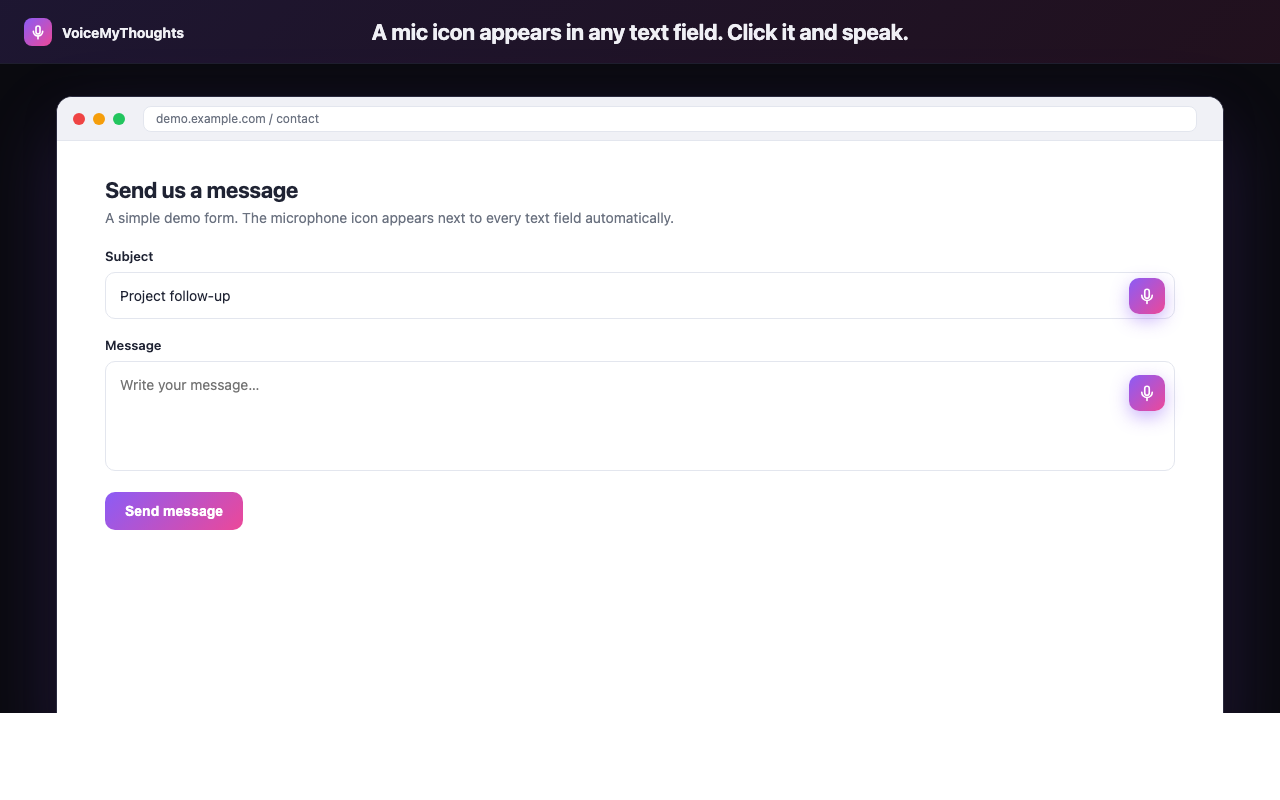
The mic icon appears wherever you can type. Click, speak, done — no copy-paste from another app.
And the same loop, abstracted: a universal mic, real-time transcription, clean output. The friction between thought and capture goes to near-zero:
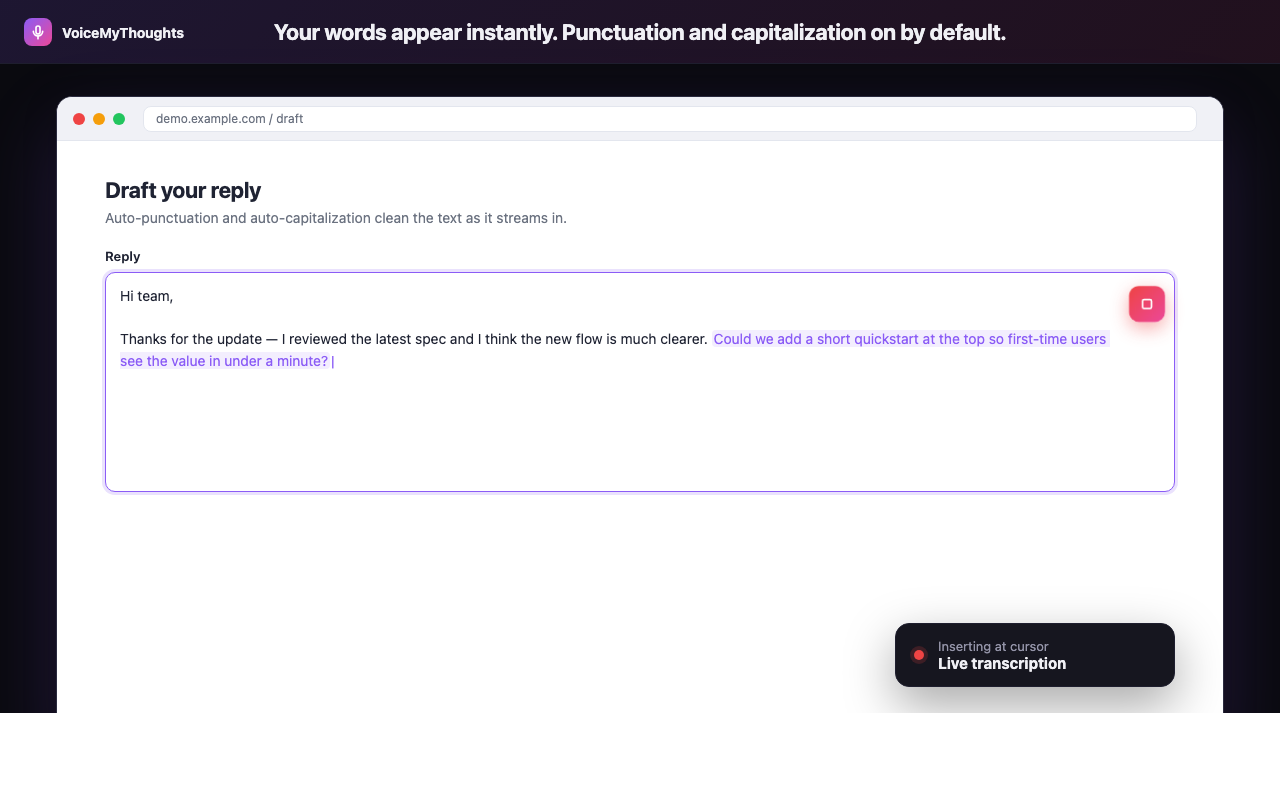
Three steps from install to hands-free typing. No accounts to wire, no audio uploaded.
The deep-work day becomes: defended block (Reclaim) → fast capture of in-flight ideas (VoiceMyThoughts) → context-restore on return (Notion AI / Claude) → no meetings before noon (Cron). The 23-minute cost stops compounding.
Summary: protect attention like it costs $1,000/hour (because it does)
Deep work is rare not because you don't want it, but because the default workflow doesn't defend it. Five small interventions, stacked, change the math.
- Capture, don't memorize. Use VoiceMyThoughts to offload in-flight ideas in seconds.
- Defend the calendar. Reclaim, Cal.com, or Notion Calendar.
- Compress meeting load. Granola removes the in-meeting tax.
- Speed-restore context. Notion AI or Claude when you come back to a thing cold.
- Block the obvious leaks. Cold Turkey or Freedom for the rest.
Pick two from this list this week. Even half of the stack moves the needle within 5 days.
Close the gap in under a minute
Add VoiceMyThoughts to Chrome and start dictating into any text field on any website. Free, private, on-device.
Add to Chrome — It's Free