The problem: notes are taken; outcomes are not
Walk into any company and ask three questions: who took notes in the last meeting, who has read them since, and which action items are now done. The answer is almost always "someone, nobody, and we're not sure." Meeting notes are the single most-performed and least-consumed artifact in modern knowledge work.
There are three reasons. First, the note-taker is half-present in the meeting because they're typing — so the notes are shallower than the conversation was. Second, the notes go into a doc nobody opens unless they're already looking for them. Third, action items written into prose disappear because they have no owner, no date, and no surface that pings anyone.
The fix isn't "take better notes." It's stop taking notes by hand and let the meeting itself become the source of truth — with structure, owners, and follow-through wired in by default.
The fix: 7 tools that turn meetings back into outcomes
Below is the stack ranked by how directly each one converts meeting time into shipped work.
VoiceMyThoughts — capture decisions and action items the moment they're said
The most leveraged habit change is to stop trying to type follow-ups during the meeting and instead speak them directly into your task system the second the call ends. VoiceMyThoughts drops a mic next to every text field — Linear, Asana, Notion, GitHub Issues, your own Notes app. The 30-second "here's what just happened, here's who owns what" voice memo lands in the right place, structured, before your brain context-switches to the next thing.
Best for: anyone who runs more than three meetings a day. Free; Premium ($5.95/mo) for longer captures.
Granola — AI notes that respect the meeting, not the keyboard
Granola transcribes the call quietly in the background and merges its structured output with whatever quick bullets you typed yourself. You stay fully present; the notes still arrive structured. Currently Mac-only, but the most loved tool in this category.
Best for: founders, PMs, anyone in 4+ meetings/day on Mac.
Otter.ai — real-time transcription with searchable everything
Otter sits in the call (Zoom, Meet, Teams), transcribes in real time, identifies speakers, and produces a searchable archive of every meeting your team has had. The retroactive search alone earns its keep — "what did we decide about pricing in March?" becomes a 5-second query.
Best for: cross-platform teams. Solid free tier.
Fireflies / Fathom — auto-generated highlights and action items
Fireflies and Fathom both produce structured summaries with extracted action items and decisions. Fathom is free for personal use and pairs particularly well with Notion / Hubspot for downstream automation.
Best for: sales calls, customer interviews, structured 1:1s.
Linear — where action items go to actually get done
Notes without owners are stories. Linear (or your team's equivalent — Asana, Jira, GitHub Issues) is where the post-meeting action items belong. Speak them in via #1 the moment the call ends and the meeting starts converting to shipped work.
Best for: every product/engineering team. The destination, not the source.
Notion AI — turn 30 minutes of transcript into a 3-bullet decision log
Notion AI's "summarize" + "extract action items" turns a raw transcript into the artifact people will actually read: a 3-bullet decision log and a list of owners with dates. The transcript stays in case anyone wants the receipts.
Best for: teams already in Notion. Removes the "who reads the transcript" problem.
Loom — replace the meeting that didn't need to happen
The best meeting note is the meeting you didn't take. Loom lets you record a 4-minute video instead of a 30-minute call for any conversation that doesn't strictly need real-time back-and-forth. With AI summaries and CTAs baked in, async becomes the default for status updates and walkthroughs.
Best for: distributed teams. The meeting-killer.
What the stack looks like in practice
The most overlooked habit change is what happens in the 60 seconds after a meeting ends. Below is VoiceMyThoughts capturing a structured action-item brief directly into the task system — no doc, no copy-paste, no "I'll write it up later":
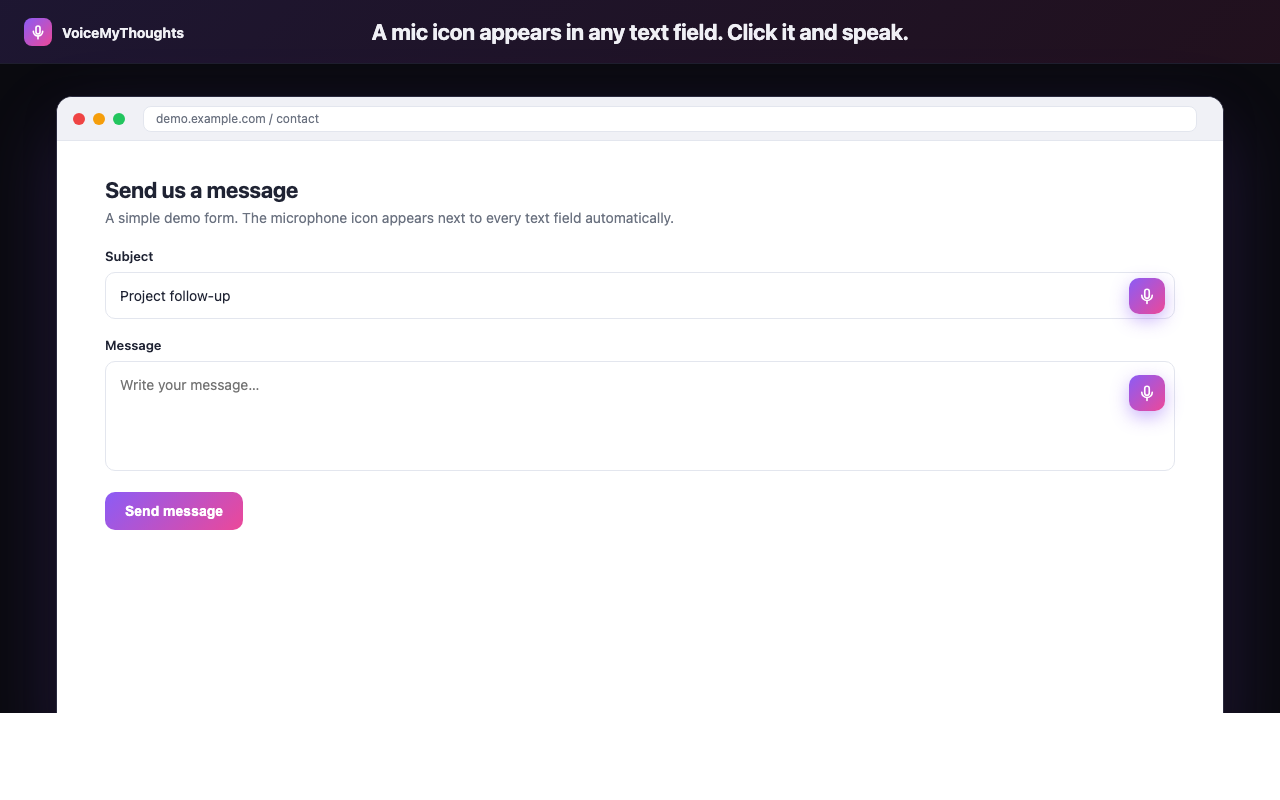
The mic icon appears wherever you can type. Click, speak, done — no copy-paste from another app.
The same loop, abstracted: universal mic, real-time transcription, clean text. The post-meeting brain-dump goes straight into the system that pings the owner tomorrow.
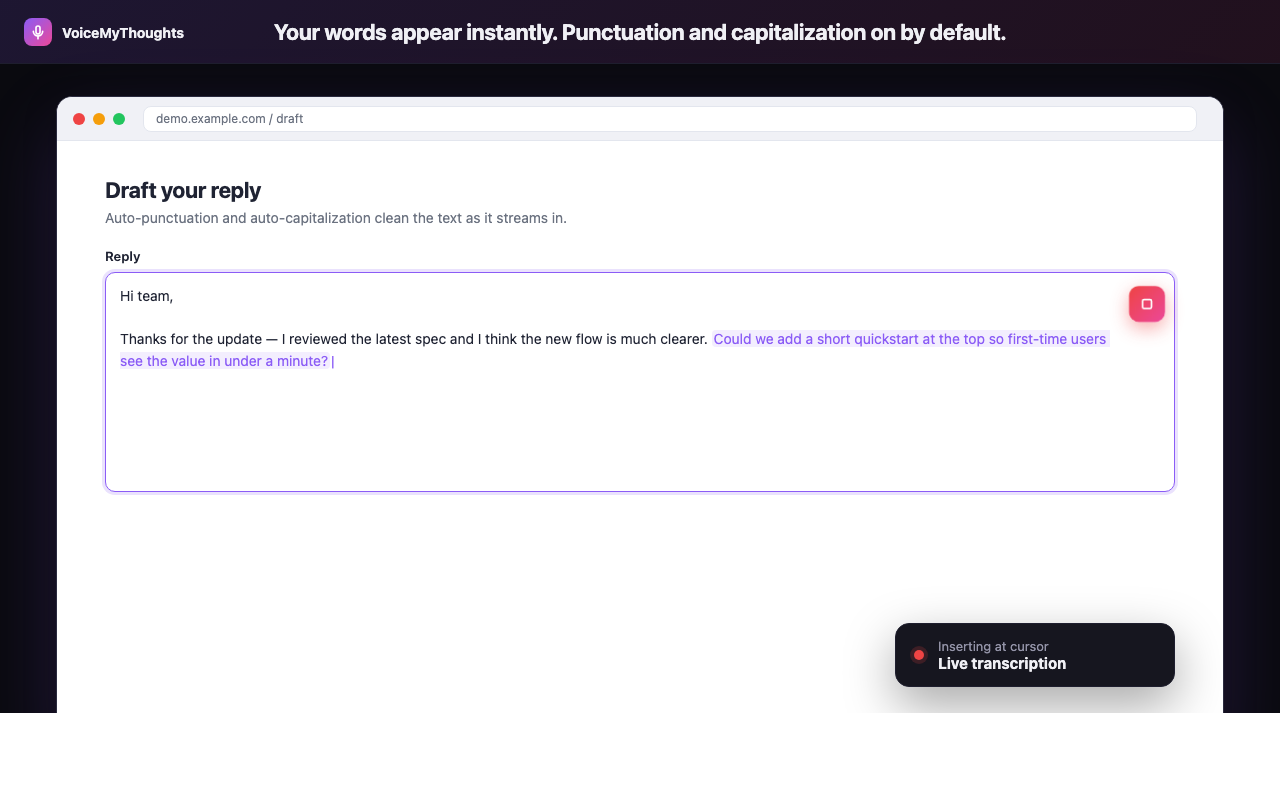
Three steps from install to hands-free typing. No accounts to wire, no audio uploaded.
The new meeting loop becomes: be present in the meeting (Granola/Otter/Fireflies handles the transcript) → speak the 60-second debrief into the task system (VoiceMyThoughts) → AI summary into the decision log (Notion AI) → next time it could've been async, send a Loom instead. Notes stop being theatre.
Summary: notes aren't the goal — outcomes are
Meeting notes are wasted effort because they live in the wrong place, written by a person who was half-listening, with action items that have no owner. Each of those is independently fixable.
- Don't type during meetings. Granola, Otter, Fathom, or Fireflies handle the transcript.
- Speak the post-meeting debrief into the task tracker. Use VoiceMyThoughts directly inside Linear/Asana/Notion.
- Auto-summarize with extracted owners. Notion AI, Fireflies, or Fathom.
- Kill the meeting that didn't need to be live. Loom for the rest.
Try this stack for two weeks. Your meeting time goes down, your shipped-work-per-meeting goes up, and your notes stop being theatre.
Close the gap in under a minute
Add VoiceMyThoughts to Chrome and start dictating into any text field on any website. Free, private, on-device.
Add to Chrome — It's Free