The problem: short prompts get short answers
Every model — ChatGPT, Claude, Gemini, Perplexity — produces output in roughly the same shape as the input. Two-line prompt, two-line idea. Two-paragraph prompt, two-paragraph plan. This isn't a bug; it's how language models price detail.
But here's the catch: most users know they should write longer prompts. They start typing one — and around word 30 their fingers slow down, the brain compresses, and out comes a 1.5-line shrug. The model returns a 1.5-line shrug. And then everyone blames the model.
The fix isn't a prompt-engineering course. It's removing the typing bottleneck so the prompt that arrives in the box matches the one that was in your head.
The fix: 7 tools that get better answers out of every model
Below is the stack ranked by how directly each one improves the quality of what you actually feed the model — and what comes back.
VoiceMyThoughts — speak the full prompt instead of typing the summary of it
The single highest-ROI change to your AI workflow is to stop typing prompts. VoiceMyThoughts drops a microphone icon directly inside the ChatGPT, Claude, Gemini, and Perplexity chat boxes — and into every other text field on the web. Click, speak the full 200-word prompt with all the context you would have shortened away, and the answer that comes back is structurally different. Audio stays on your device.
Best for: every single AI conversation you'll have this year. Free; Premium ($5.95/mo) for prompts longer than 10 seconds (which is most of them).
ChatGPT — the default model — finally fed properly
Once your input is unlocked, ChatGPT is still the universal Swiss army knife. The same model produces dramatically different output when you feed it a full spoken brief instead of a typed shrug.
Best for: general drafting, code, transformations. Same model, 3x better answers when paired with #1.
Claude — long-context, careful reasoning, calmer prose
Claude rewards long, well-structured prompts more than any other model. With a spoken 300-word brief, its longer context window and slower-thinking style turn into actual strategic output instead of a paraphrase of your prompt.
Best for: writing, document analysis, reasoning-heavy tasks. The model most under-served by short prompts.
Perplexity — cited answers — only as good as the question
Perplexity's killer feature is citations. But the difference between a generic answer and a usable one is whether your question included the constraints (geography, recency, source type, exclusions). Speaking the full question is roughly the entire game.
Best for: research, fact-checks, anything where sources matter.
Cursor / Continue — AI in the editor — same prompting rules apply
Cursor brings model-grade autocomplete and chat into your code editor. The same rule applies: a one-line ask gets a one-line edit; a spoken three-paragraph spec gets a working refactor. Voice input changes the velocity here too.
Best for: developers. Free tier is generous; Pro is the standard.
NotebookLM — ground answers in YOUR documents, not the open web
Sometimes the problem isn't prompt quality — it's that the model doesn't have your sources. NotebookLM lets you upload PDFs, docs, and notes and asks every question against that grounded set. Your prompt quality still matters; now the answers are anchored.
Best for: research, study, analysis of your own corpus. Free.
PromptHub / PromptLayer — save the prompts that work, version them like code
When you find a prompt that gets great output, save it. PromptHub (and PromptLayer for engineering teams) give you a versioned library of working prompts so you stop re-inventing the same brief every Tuesday.
Best for: anyone running the same kind of prompt repeatedly. Pays for itself in week one.
What the stack looks like in practice
The fastest way to dramatically better answers is to feed the model a real prompt instead of a typed apology. Below is the VoiceMyThoughts mic appearing right inside an AI chat box — same model, ten times the input:
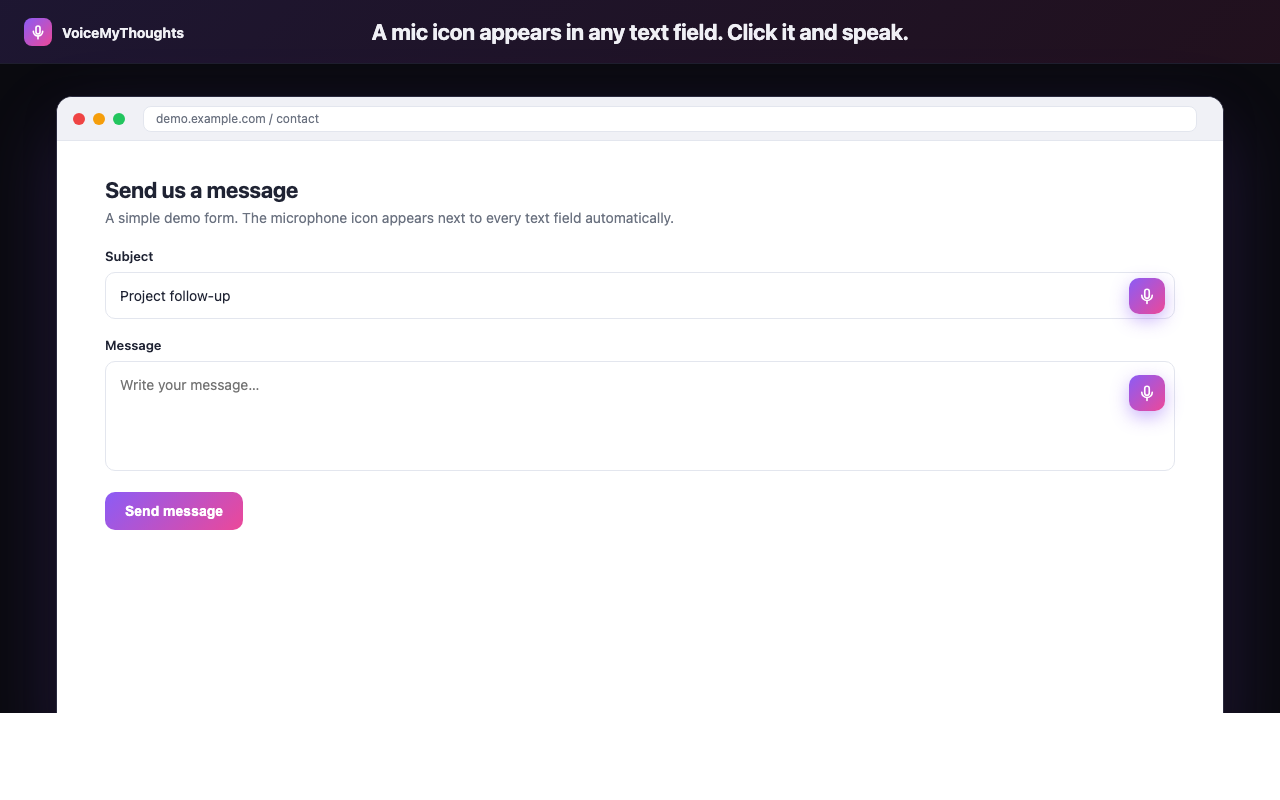
The mic icon appears wherever you can type. Click, speak, done — no copy-paste from another app.
And the loop in three steps: universal mic on every site, real-time transcription, clean text dropped straight into the prompt box. No tab-switch, no copy-paste, no compression.
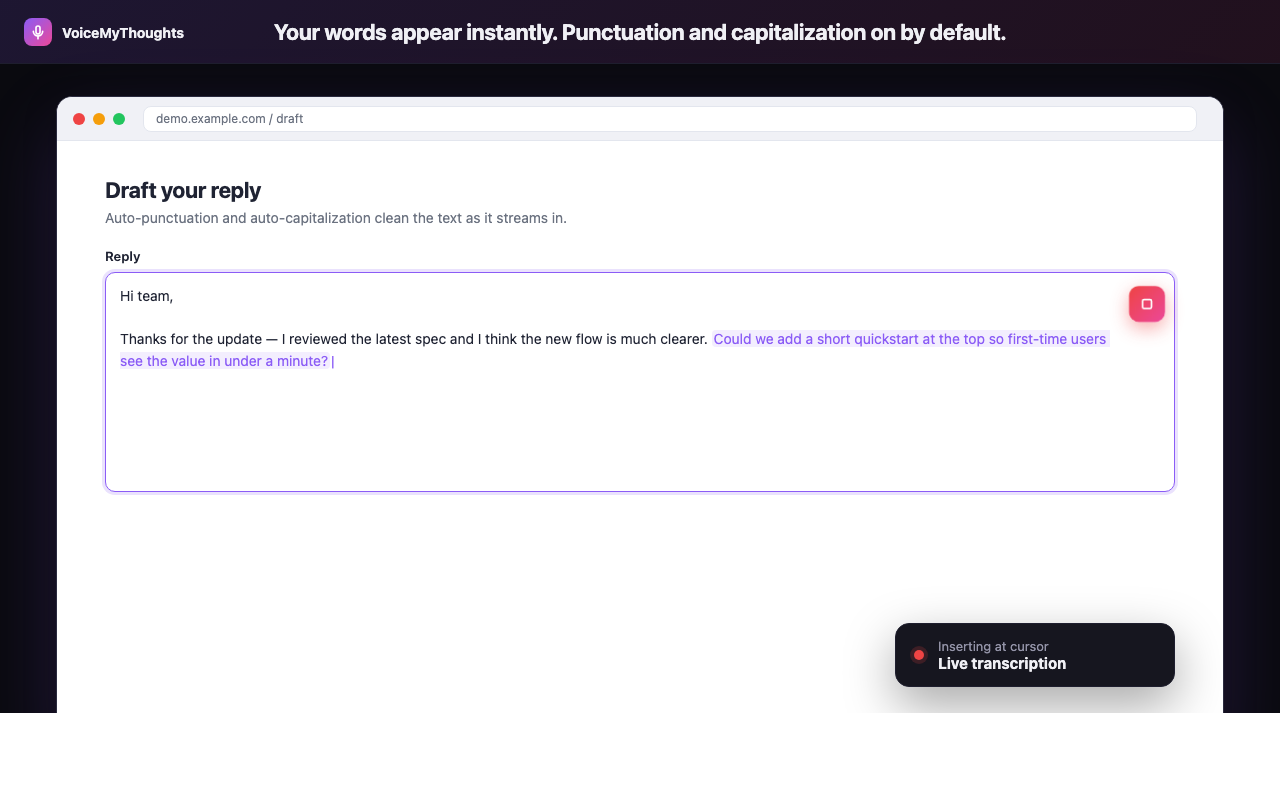
Three steps from install to hands-free typing. No accounts to wire, no audio uploaded.
The new AI workflow becomes: speak the full brief (VoiceMyThoughts) → run it (ChatGPT/Claude/Perplexity) → save the working version (PromptHub). The model doesn't change. Your output does.
Summary: it was never the model
The disappointing AI answers weren't the model's fault, and they weren't a sign that you needed a more advanced course in prompt engineering. They were a typing-speed problem dressed up as a model problem.
- Stop typing prompts. Use VoiceMyThoughts inside ChatGPT, Claude, Gemini, and Perplexity directly.
- Pick the right model for the task. Claude for long thinking, Perplexity for sourced answers, ChatGPT for default everything.
- Ground when grounding matters. NotebookLM for your own documents.
- Save the prompts that work. PromptHub or even a Notion page — just stop reinventing them.
One week of speaking your prompts will produce a measurable, almost embarrassing jump in the quality of every answer you get back.
Close the gap in under a minute
Add VoiceMyThoughts to Chrome and start dictating into any text field on any website. Free, private, on-device.
Add to Chrome — It's Free