The problem: 28% of your workweek, gone
McKinsey's been quoting the same number for a decade and it hasn't budged: knowledge workers spend roughly 28% of every workweek on email. That's more than a full workday — every week — that you're not building, selling, designing, or thinking.
And the worst part isn't the volume. It's the shape. Email arrives in tiny, high-priority-looking bursts that fragment your morning into 15-minute slivers. By the time you've replied to seven "quick" threads, the deep work block you'd planned is gone.
The bottleneck isn't your willpower. It's two specific frictions: writing replies takes longer than reading them, and context-switching between threads taxes your brain harder than the threads themselves. Fix those two, and you get the morning back.
The fix: 7 tools that compress email time without dropping the ball
Below is the stack that actually moves the needle, ranked by how many minutes per day each one removes from your inbox.
VoiceMyThoughts — speak full email replies into Gmail, Outlook, Superhuman — anywhere
The single biggest reason email takes so long is that you type your replies. People speak 3x faster than they type, but until recently you couldn't dictate cleanly into a browser-based email client without copy-pasting from a separate app. VoiceMyThoughts is a free Chrome extension that puts a microphone icon directly inside the compose window — Gmail, Outlook on the web, Superhuman, Front, anything. Click, speak the reply with proper tone and detail, hit send. Punctuation and capitalization are added automatically, and audio is processed on-device using Chrome's native Web Speech API, so nothing is uploaded.
Best for: long client emails, sales replies, support responses, anyone whose inbox is a writing problem. Free; Premium ($5.95/mo) removes the 10-second per-session cap.
Superhuman — keyboard-shortcut email at the speed of triage
Once writing is unlocked, the next bottleneck is moving through the inbox itself. Superhuman is a keyboard-first email client that turns triage into muscle memory — read, archive, snooze, and move on without ever touching a mouse. Pair it with #1 and you can clear 80 emails before the kettle boils.
Best for: triage-heavy roles, founders, anyone with 100+ emails/day. $30/mo and worth it if email is the job.
Shortwave — AI-native Gmail client with built-in summarization
Shortwave bundles a Gmail-compatible client with AI summarization, smart bundles, and instant replies generated from the thread context. The summaries alone save real time on long threads — instead of reading a 14-message chain, you read three bullets and reply.
Best for: people who get pulled into long threads. Free tier is generous; AI features on the paid plan.
ChatGPT — the universal "rewrite this in the right tone" assistant
When you've drafted a reply that's almost-but-not-quite right (too curt, too long, wrong register), ChatGPT is still the fastest way to fix it. Spoken via #1, the prompt becomes "make this warmer but still firm, keep it under 80 words" — done in one breath instead of 60 seconds of typing.
Best for: tone shifts, summarization, drafts of difficult replies. Free tier handles 90% of email tasks.
Notion AI — turn an inbound email into a tracked task in one click
Half of "reply later" is actually "this should be a task, not an email." Notion AI lets you forward or paste an email into a Notion page and have it auto-extracted into a task with owner, deadline, and context. The inbox stops being a to-do list.
Best for: teams already in Notion. Removes the inbox-as-task-manager anti-pattern.
Calendly — kill the "what time works for you?" thread forever
Scheduling is the single most preventable email loop. A Calendly link replaces a 6-message back-and-forth with one paste. It's not new — it's just systematically under-used. Stop typing "how about Tuesday at 2?"
Best for: anyone who books external meetings. Free tier covers 99% of solo users.
SaneBox — invisible filter that hides the noise before you see it
SaneBox watches your reply patterns and quietly moves anything you reliably ignore into a SaneLater folder. You only see the email that actually matters. After a week, your morning inbox shrinks to a third of its size — without setting up a single filter rule.
Best for: subscriber-soup inboxes. Cheap, set-and-forget.
What the stack looks like in practice
Here's how the morning changes once these tools are wired together. Below is the VoiceMyThoughts mic icon appearing right inside the compose window — the single change that does the most work:
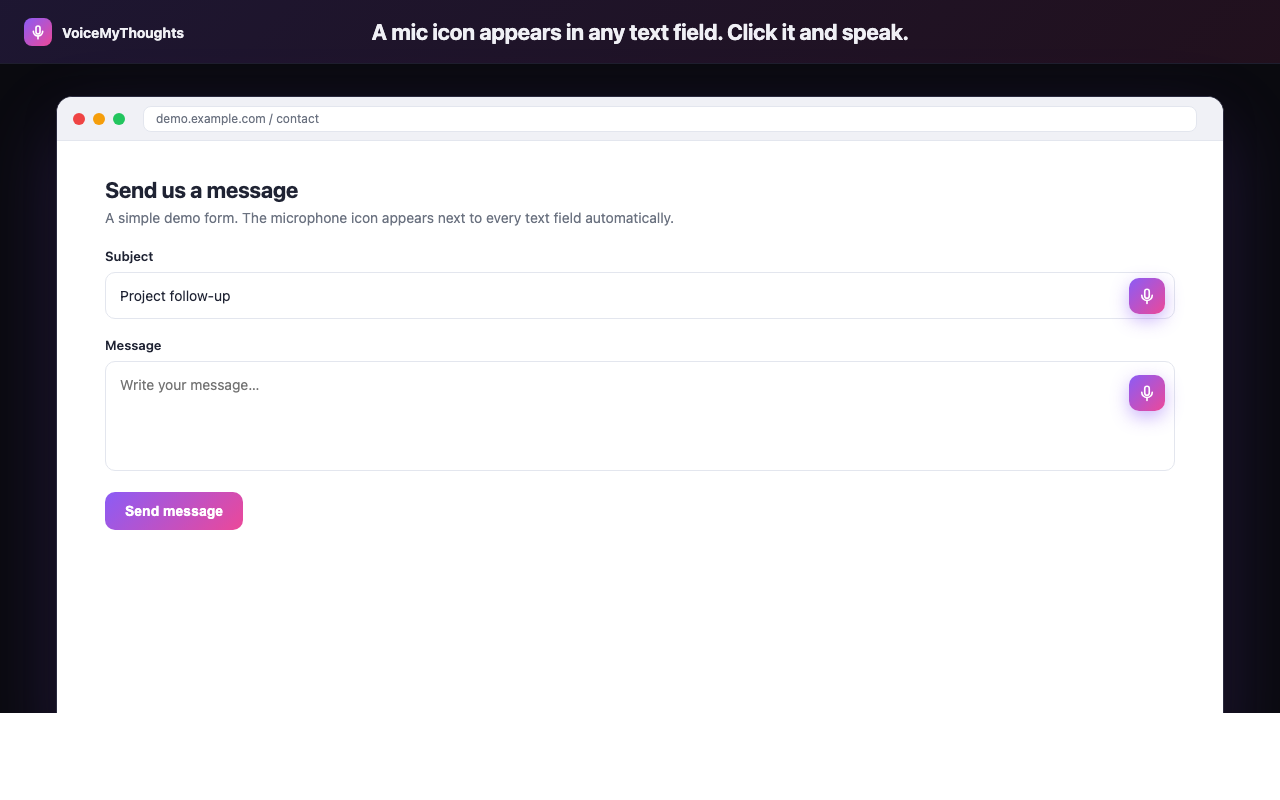
The mic icon appears wherever you can type. Click, speak, done — no copy-paste from another app.
And here are the three core capabilities working together — the universal mic, real-time transcription, and clean output that arrives ready to send:
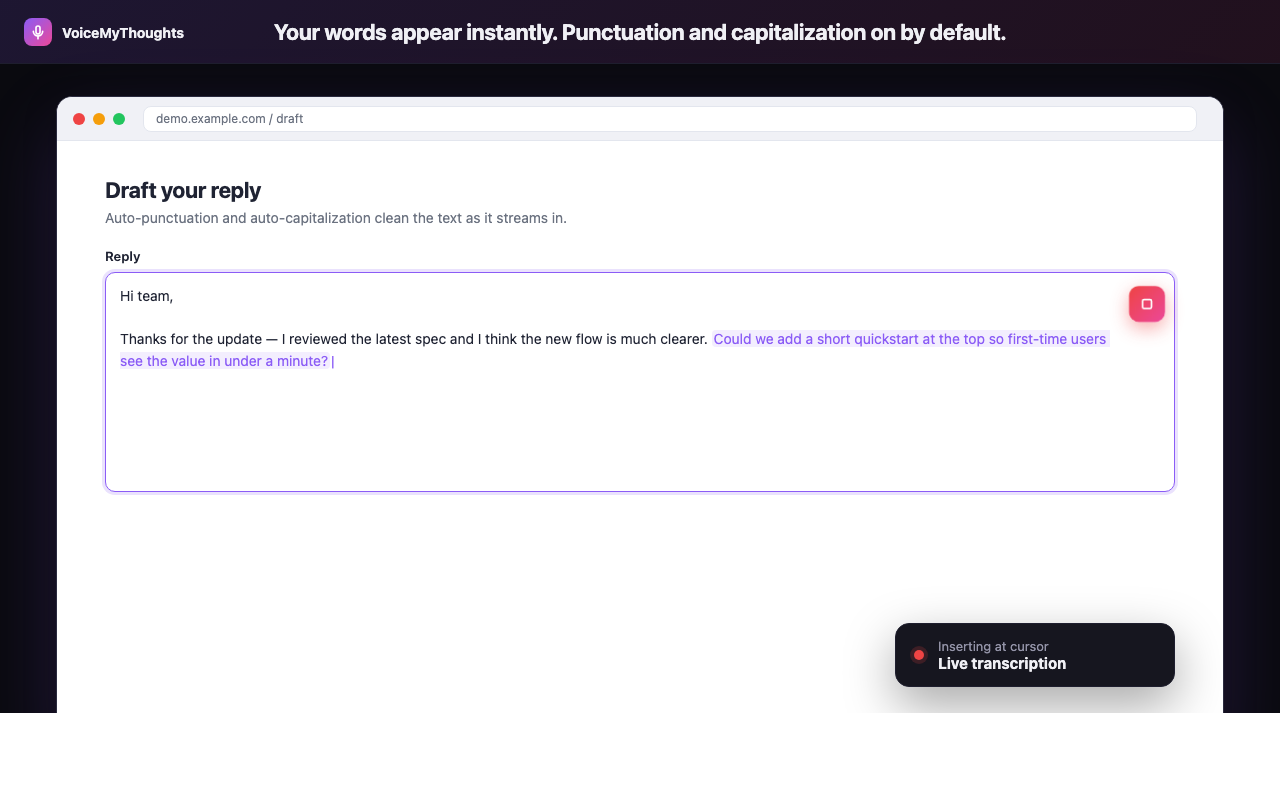
Three steps from install to hands-free typing. No accounts to wire, no audio uploaded.
The new morning loop becomes: triage with shortcuts (Superhuman/Shortwave) → summarize long threads (Shortwave/ChatGPT) → speak replies (VoiceMyThoughts) → send. Three or four tools, one tab, one hour saved.
Summary: stop letting email define your morning
The 28% number is real, but it's not destiny. Email eats your morning because the default workflow asks you to type long replies one finger at a time while context-switching between threads. Both halves of that are fixable.
- Stop typing replies. Use VoiceMyThoughts directly inside Gmail, Outlook, Superhuman, or any web inbox.
- Triage with shortcuts, not the mouse. Superhuman or Shortwave; either is fine.
- Summarize long threads. Shortwave's built-in AI or a quick ChatGPT pass.
- Convert email to tasks. Notion AI takes "reply later" off your conscience.
- Kill the obvious noise. SaneBox + Calendly remove two of the worst recurring loops.
Try it for one week. By Friday your inbox will look smaller and your mornings will feel longer.
Close the gap in under a minute
Add VoiceMyThoughts to Chrome and start dictating into any text field on any website. Free, private, on-device.
Add to Chrome — It's Free